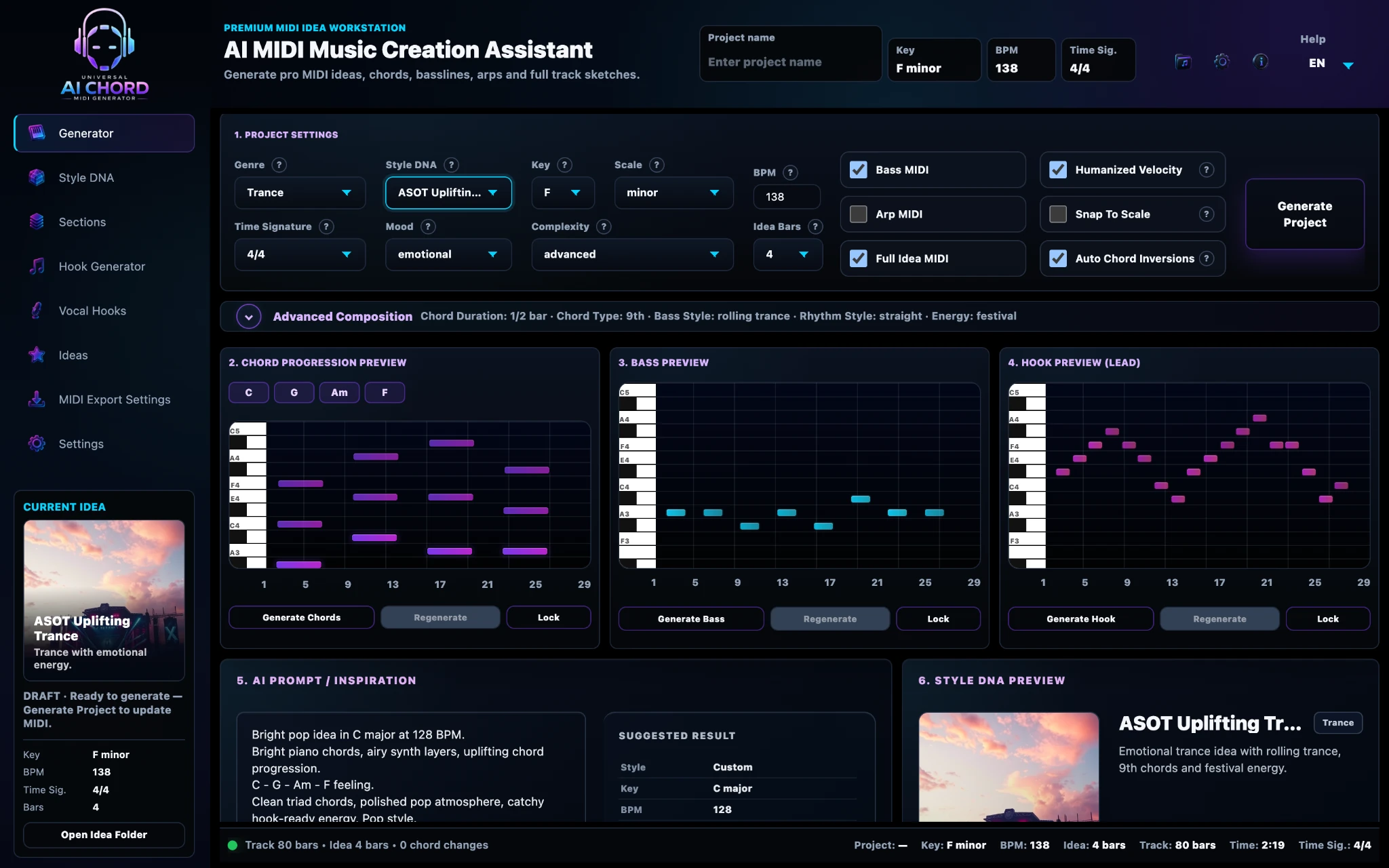
Genre → Style DNA → Mood → Generate → Export.
A clear workflow that keeps creativity moving.
Start with a genre and musical direction, generate connected MIDI layers, shape the arrangement and export every part as clean, editable MIDI.

Simple enough to start fast. Flexible enough to go deeper.
The workflow guides new users from left to right, while every stage stays editable for producers who want detailed control.
Adjust harmony, sections, hooks, variations, transitions and export layers.
7 steps from inspiration to MIDI
Every stage builds on the same project, so your key, tempo, chords and musical direction remain connected.
Set the creative direction.
Choose the broad musical world for the project. Genre informs rhythm, harmony, bass behaviour, energy and the type of musical suggestions you receive.
- Start from a familiar direction
- Load sensible musical defaults
- Avoid random disconnected results

Give the project a musical identity.
Style DNA combines genre character, mood, energy, complexity and production direction into one reusable creative preset.
- Select a ready-made style
- Shape energy and emotional character
- Keep future generations consistent

Define the emotional tone.
Choose whether the project should feel emotional, uplifting, dark, energetic, cinematic or restrained. Mood influences harmonic and melodic decisions.
- Direct the emotional character
- Match energy to the intended track
- Combine mood with genre and Style DNA
Create the harmonic foundation.
Generate chords and a bassline that share the same key, rhythm, project length and style direction. Preview the layers before applying them.
- Connected chord and bass generation
- Project-scale awareness
- Regenerate or lock individual layers

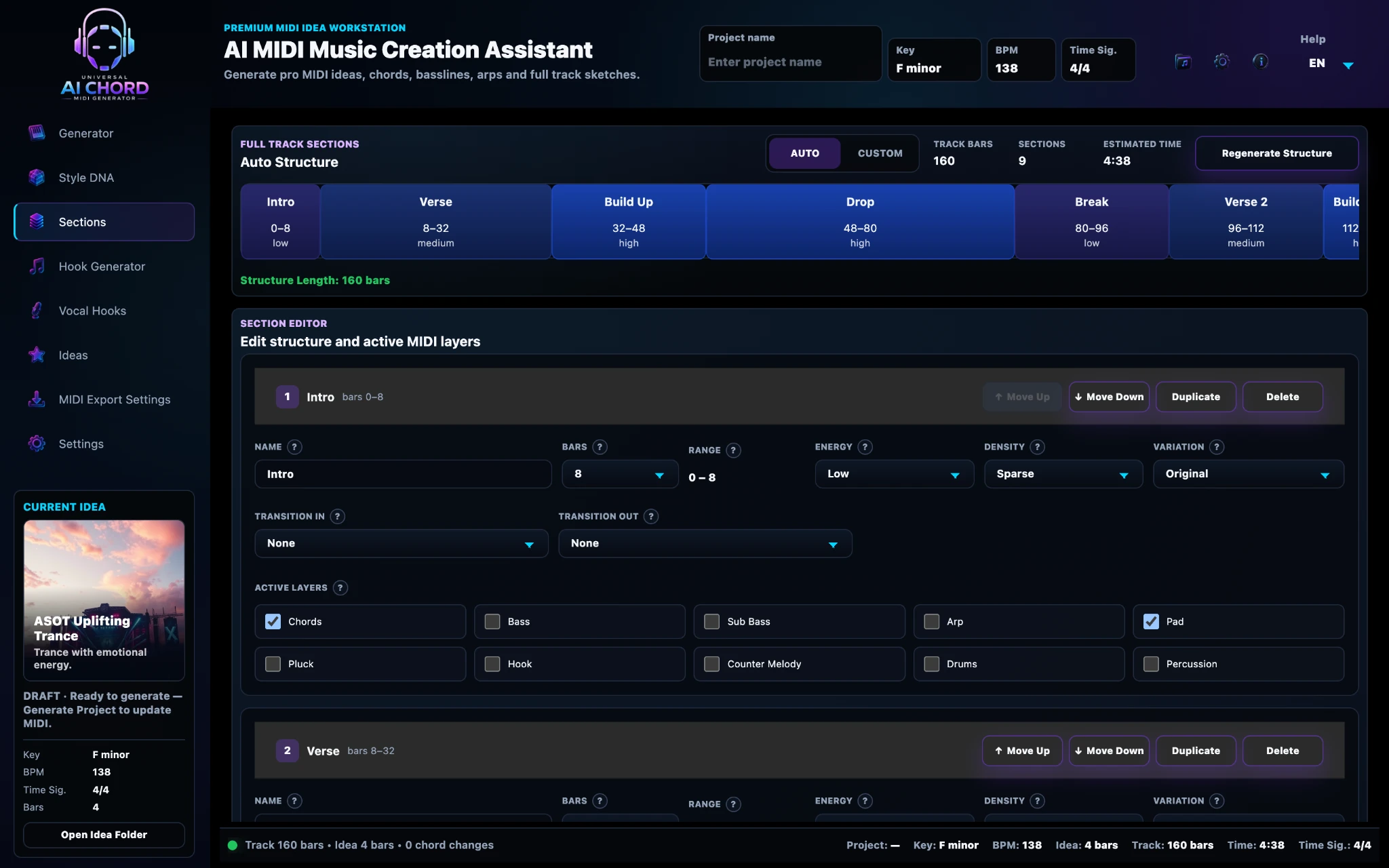
Turn the loop into a track structure.
Arrange the core idea into Intro, Verse, Build, Drop, Break and Outro. Adjust energy, density, active layers, transitions and variation per section.
- Auto-generated or editable structure
- Section-level energy and layers
- Transitions and variations

Find the memorable musical idea.
Generate melodic hooks around the current chords, scale and tempo. Compare drafts, preview them with the mix, lock strong ideas and apply the selected hook to the project.
- Piano-roll preview
- Preview Hook and Preview Mix
- Recent hooks, lock and regenerate

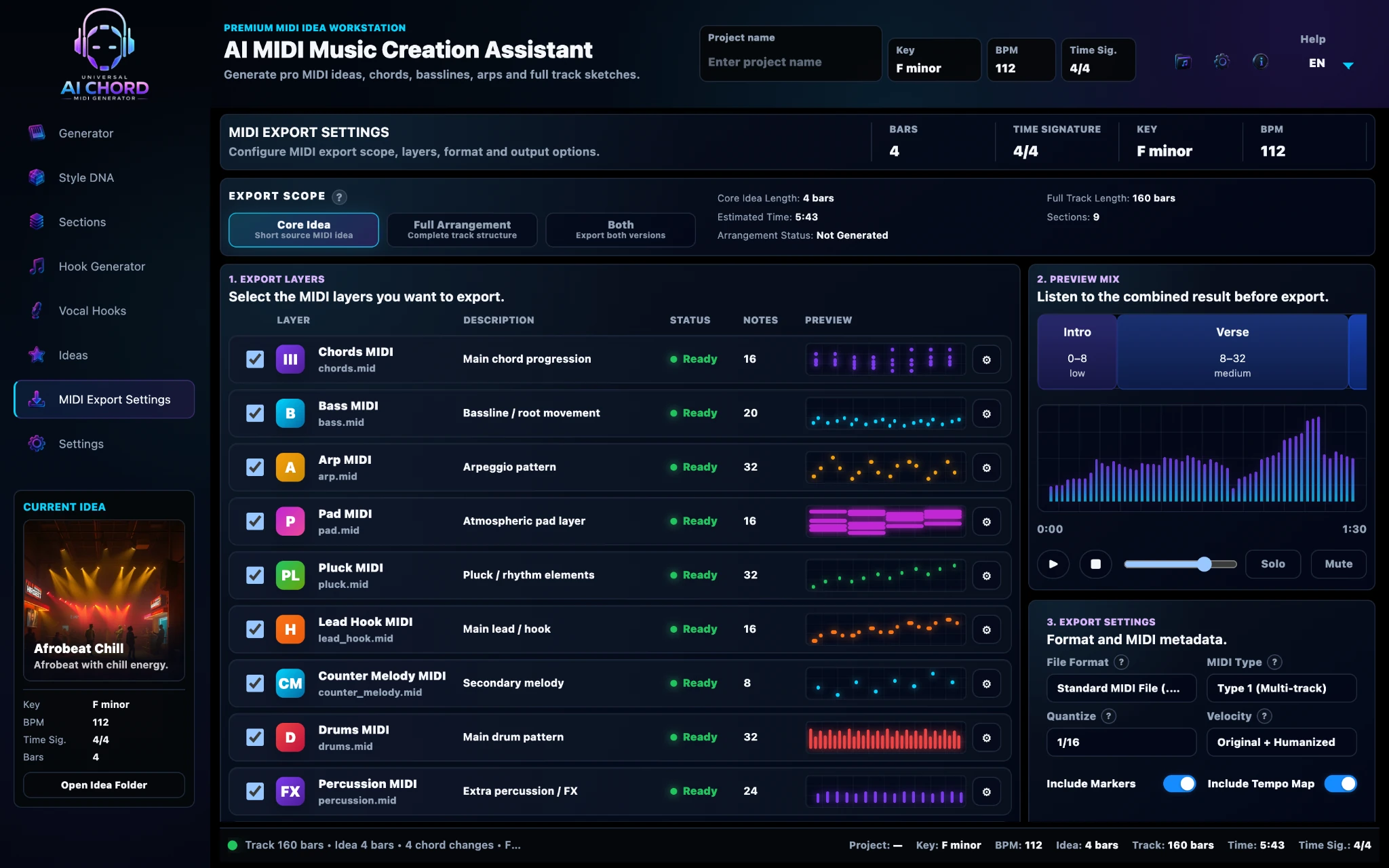
Continue production in your own DAW.
Export individual layers, the core idea or a full arrangement. Every MIDI file remains editable, allowing you to choose instruments, change notes and finish production your way.
- Separate MIDI layers
- Core Idea or Full Arrangement
- Tempo-aware, organised export

Every step stays connected.
Your Genre, Style DNA, key, BPM, chords, bass, hooks and arrangement all belong to the same project. Changes made in one part of the app remain available throughout the workflow.
From ASOT Uplifting Trance to a DAW-ready arrangement
A practical example of how one idea moves through the workflow.
Trance, ASOT Uplifting, emotional mood, 138 BPM.
Four-bar chords, rolling bass and melodic hook.
Intro, Build, Drop, Break and Outro with changing energy.
Chords, bass, hook and full arrangement imported into the DAW.
Editable musical layers, not a locked audio result.
Use your own instruments, sound design and production techniques. The app helps you create the musical starting point; you finish the track.
- chords.mid
- bass.mid
- lead_hook.mid
- full_idea.mid
- full_arrangement.mid

Common questions
Do I have to use all seven steps?
No. You can use only the tools you need. The workflow is connected, but each stage remains optional.
Can I regenerate only one layer?
Yes. Chords, bass, hooks and other elements can be adjusted or regenerated without replacing the entire project.
Can beginners use the workflow?
Yes. The main path uses simple decisions, while advanced controls remain available when you need them.
Where is the final track completed?
Inside your own DAW, using the exported MIDI with your preferred instruments, effects and production workflow.
Move from inspiration to editable MIDI in one connected workflow.
Join the early-access list and help shape the final release.
Join Early Access →